
To create a database you need to :
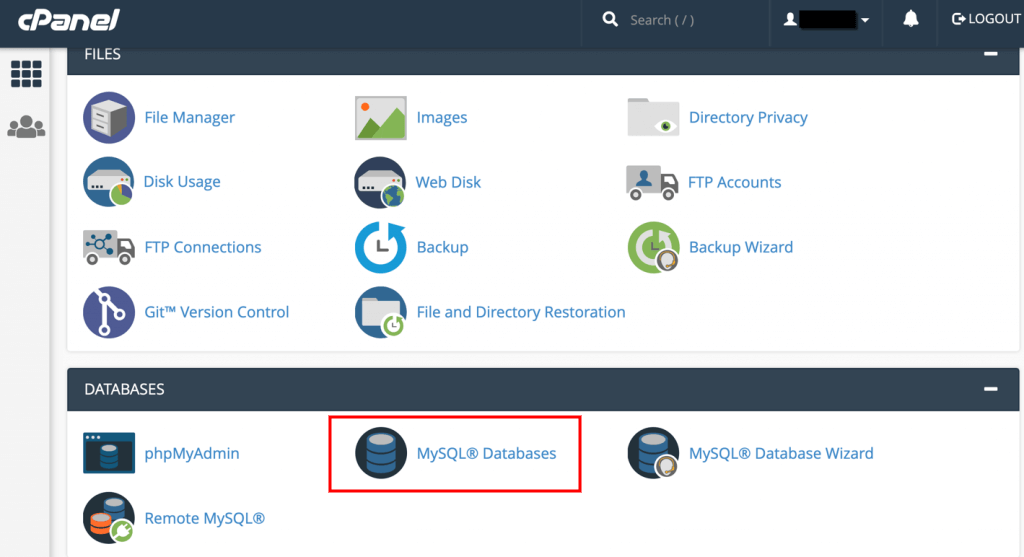
- Open MySQL database section
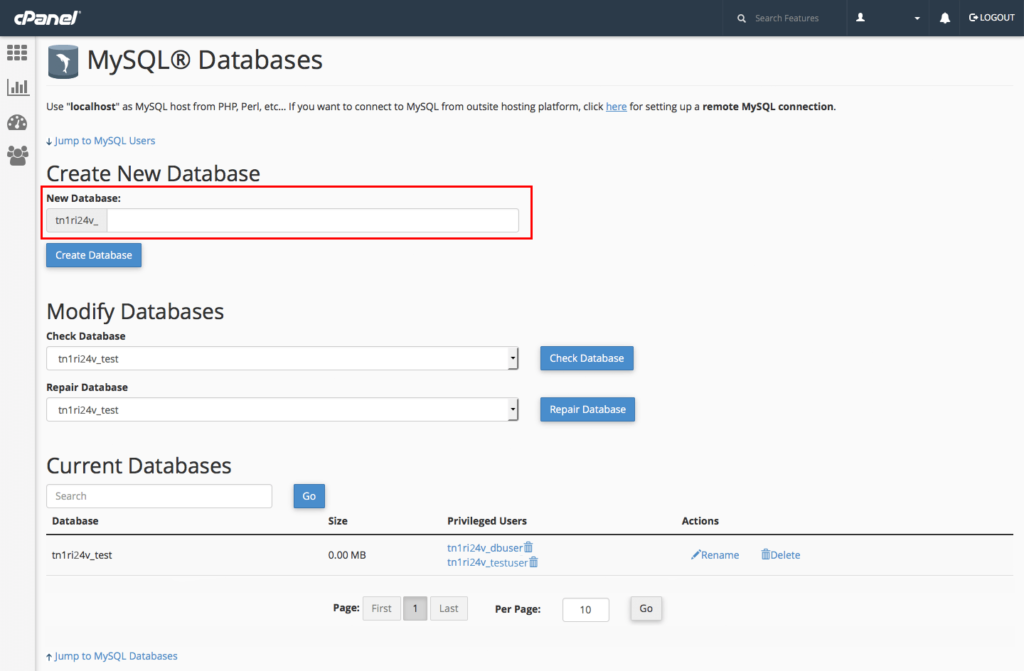
2. Specify the database name :
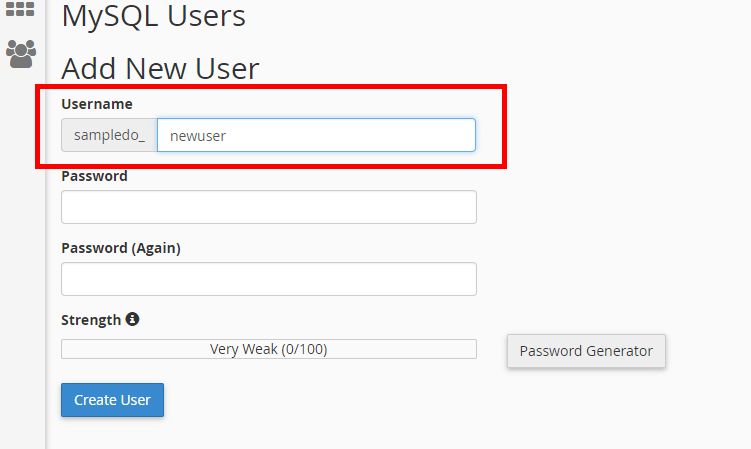
3. Add a new database user :
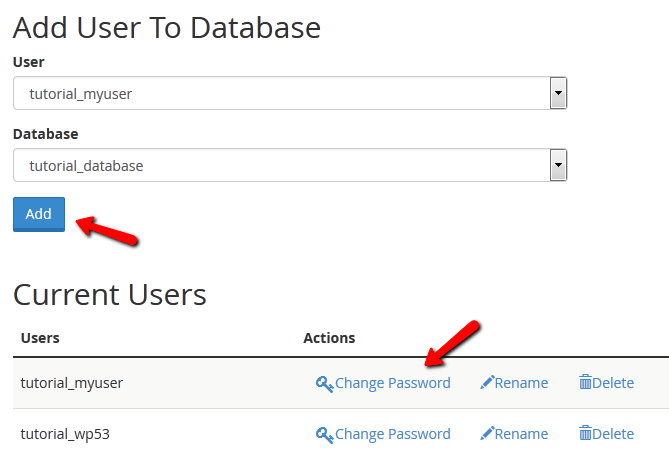
4. Assign database user to your new database
- Select the Both “User” and “Database” and click the Add button :
- Set “All Privileges” for the database user :

5. Then, open the PhpMyAdmin management tool to access the database :
Then, select and open your database in PhpMyAdmin :
Hope this tutorial will be helpful to you!
Related Tutorials For PrestaShop :
How to Enable And Manage Maintenance Mode | PrestaShop 1.7
Minify .CSS File Easily | PrestaShop 1.7
How To Change The Language Of Your Admin Panel | Prestashop 1.7